
 Switch to Kodezi Code
 Kodezi CLI
Authentication
Securely authenticate your Kodezi CLI to access AI features
To unlock all AI powered capabilities in Kodezi CLI, you must authenticate your device using your Kodezi account email and a secure API token.
Authentication syncs your CLI with:
- Your usage limits
- Your project preferences
- Your AI model access
- Your billing plan
- Your persistent session history
This keeps your CLI experience personalized, secure, and seamlessly connected across devices.
Get Your Credentials
Open Your Kodezi Dashboard
Visit kodezi.com and log in. If you don’t have an account yet, create one, it only takes a minute.
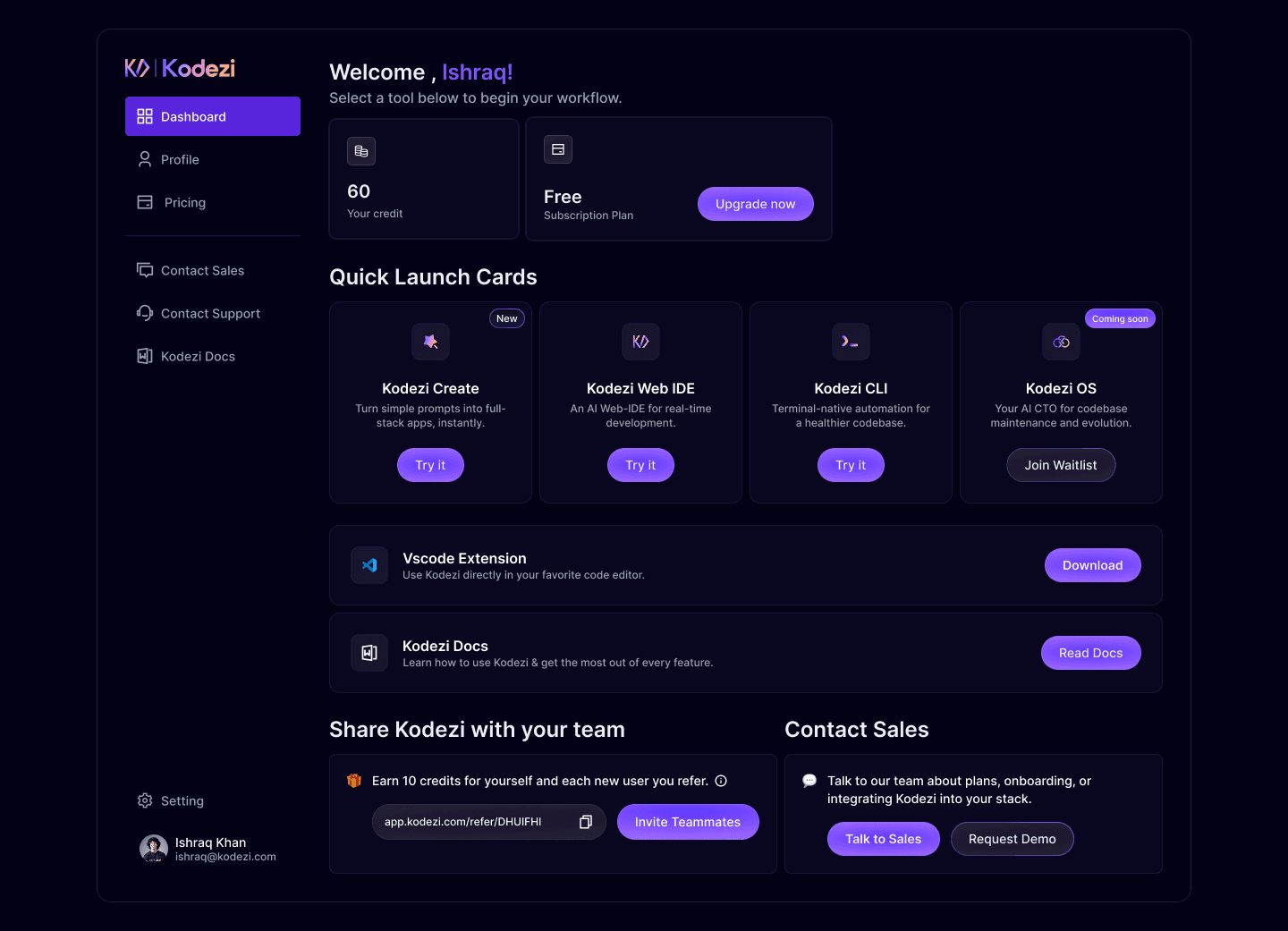
Navigate to API Tokens
Inside the dashboard, go to: Settings → Developer → API Tokens.
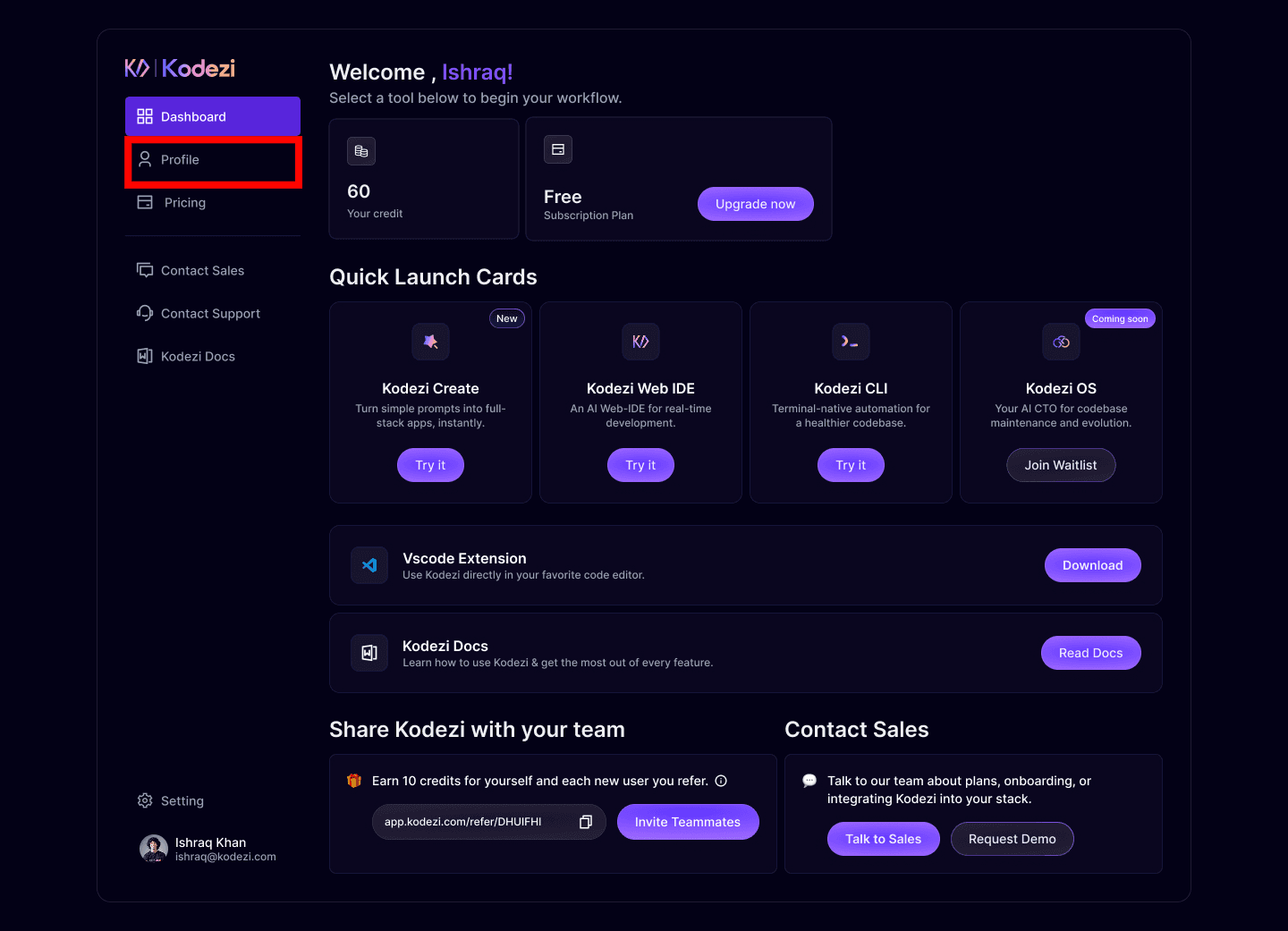
This page manages all tokens connected to the Kodezi ecosystem.
Generate your Token
Click Generate Token → Copy the token.
Make sure to save:
- Your registered email
- Your API authentication token
Both are required for CLI login.
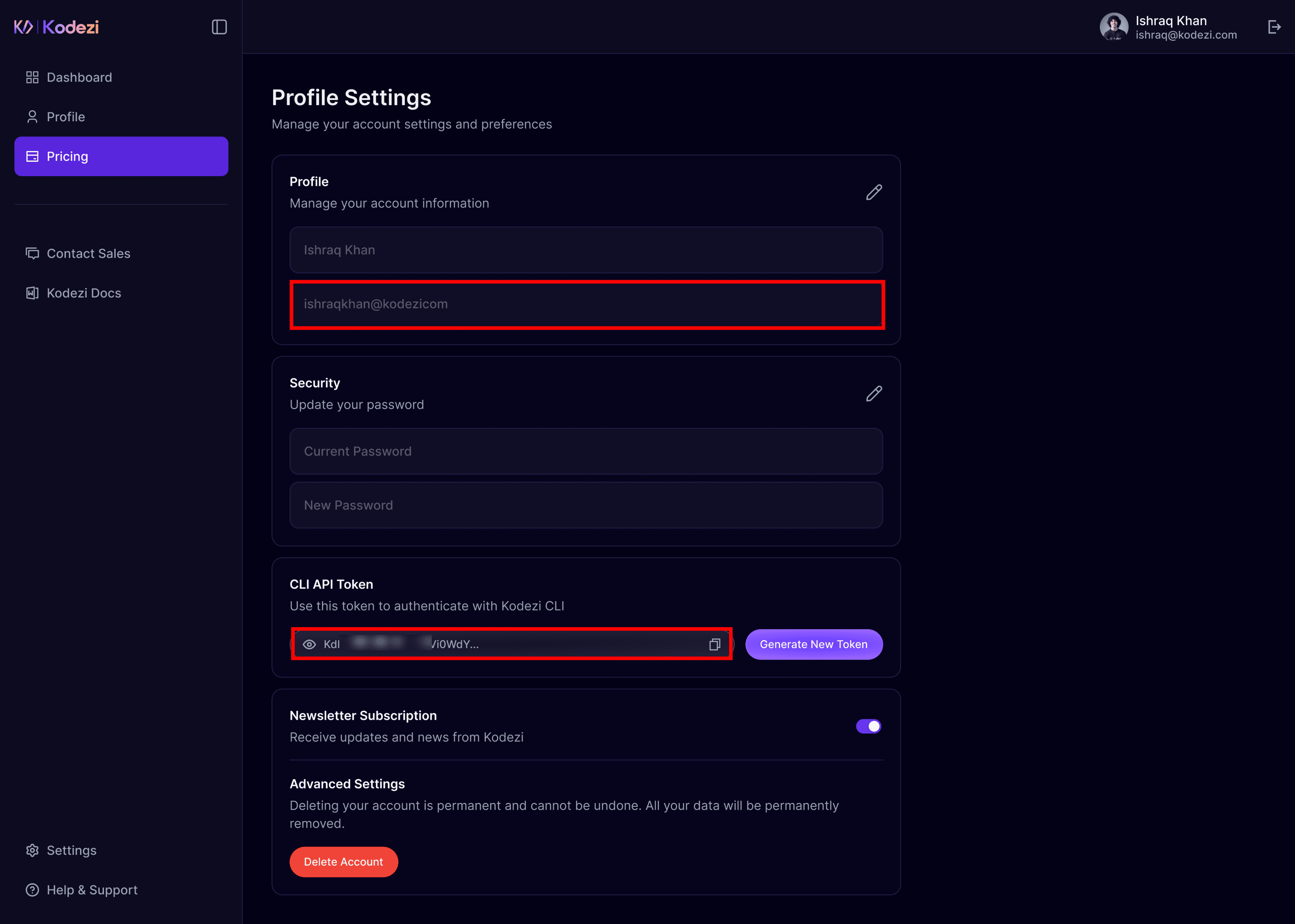
Important: Your token gives full access to your account’s AI resources. Keep your token secure. Never commit it to version control or share it publicly.
Authenticate
Run the login command:
kodezi auth loginYou'll be prompted to enter:
- Your email address
- Your authentication token
Example:
$ kodezi auth login
Kodezi CLI Authentication
========================
Enter your email: user@example.com
Enter your token: ****************************
Validating credentials...
[OK] Successfully authenticated!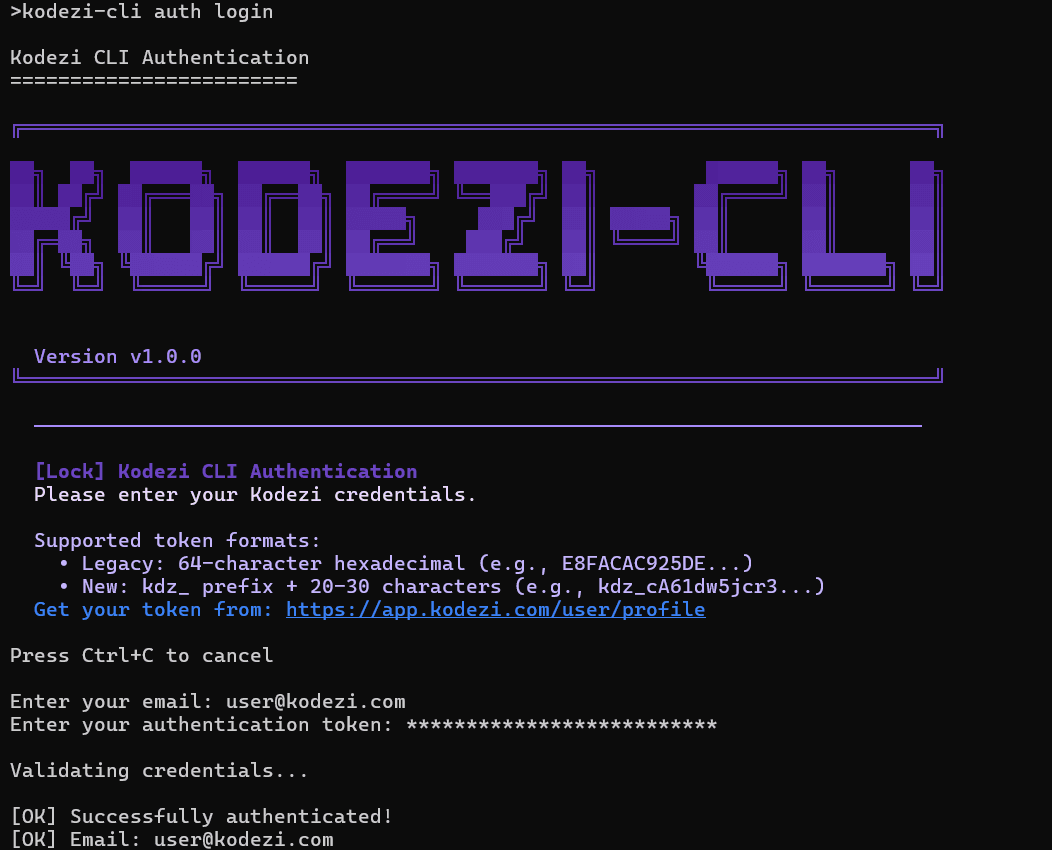 The Kodezi CLI authentication prompt showing email and token entry
Check Authentication Status
Quickly verify whether your CLI is authenticated:
kodezi auth statusExample output:
Authenticated as user@example.com
Token: *************** (valid)
Profile: Pro
Sessions: Synced
This is useful when switching machines or updating tokens.
Logout
To remove stored credentials:
kodezi auth logoutThis deletes the local config and signs you out immediately.
Config Location
Credentials are stored in securely in your system’s user directory.
Paths:
- Linux/macOS:
~/.kodezi-cli/config.json - Windows:
%USERPROFILE%\.kodezi-cli\config.json
Troubleshooting
Next Steps
You are now authenticated and ready to use Kodezi CLI.
- Quick Start - Learn basic commands and run your first AI session.
- Commands - Explore all available CLI commands